

CourtKeeper
CourtKeeper keeps the score of your badminton matches on your Garmin watch. It follows the official BWF rally-point rules, works out who serves and from which court, and saves your finished matches so you can look back at them. It needs no phone.
CourtKeeper is free in the Connect IQ Store. Install it from there (in the store app on your phone, or on the website), and open it from your watch’s list of apps. Installing Connect IQ apps goes through it step by step.

At a glance
Section titled “At a glance”| Formats | Singles, doubles, and mixed (one player against a pair) |
| Match length | Best of 1, 3 or 5 sets |
| Players | Up to 20, set up once |
| History | Your last 10 matches, with every set’s score |
| Watches | 112 Garmin models, Connect IQ 3.1 or newer |
| Languages | 34 (see below) |
| Permissions | None. Nothing leaves your watch. |
If you leave the app by accident in the middle of a match, nothing is lost: the score is saved after every point, and reopening CourtKeeper picks up where you left off.
The main menu
Section titled “The main menu”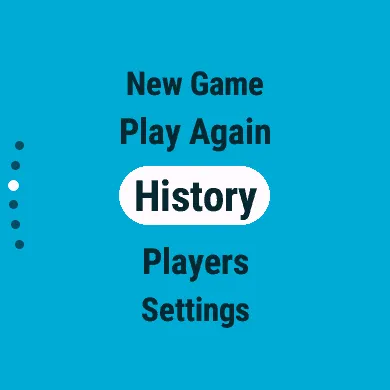
| Item | What it does |
|---|---|
| New Game | Set up and start a match (Starting a match) |
| Play Again | Start a match with the same players and format as your last one |
| History | Your past matches (Match history) |
| Players | The people you play with (Players) |
| Settings | Rules, feedback, input and look (Settings and themes) |
| About | The app’s name and version |
Buttons and touch
Section titled “Buttons and touch”Every list in the app works the same way:
| To | With buttons | On a touchscreen |
|---|---|---|
| Move up or down | UP / DOWN | Swipe or drag |
| Choose the item | SELECT (START) | Tap the item in the middle |
| Go back | BACK | Swipe right |
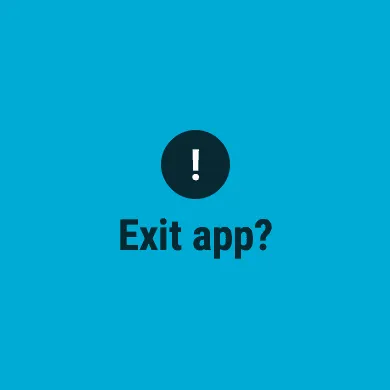
BACK on the main menu asks Exit app?: SELECT leaves the app, BACK stays.
Before your first match
Section titled “Before your first match”Open Players and add the people you play with, yourself included, then mark yourself with This Is Me. You only do this once. CourtKeeper then always puts you at the bottom of the score screen, nearest your wrist.
Languages
Section titled “Languages”CourtKeeper follows your watch’s language: English plus Bulgarian, Chinese (Simplified and Traditional), Croatian, Czech, Danish, Dutch, Estonian, Finnish, French, German, Greek, Hungarian, Indonesian, Italian, Japanese, Korean, Latvian, Lithuanian, Malay, Norwegian, Polish, Portuguese, Romanian, Russian, Slovak, Slovenian, Spanish, Swedish, Thai, Turkish, Ukrainian and Vietnamese.
A watch only offers the languages its own software supports (a Fenix 5 has 25 of them, a Venu 3 all of them). In any other language, CourtKeeper is in English. Player names stay exactly as you typed them.